
DataMoverPro
A no-code platform for building data pipelines, charting results and configuring AI/ML models, developed end to end by Actual Pixel.
Overview
DataMoverPro lets teams build data pipelines visually. A canvas connects data sources, transformers, AI/ML models and exports, and the results can be charted and previewed in the same workspace.
Challenge
Steps are nodes on a canvas. Sources, transformers, models and export are one rail away.
Charts, a preview and model configuration sit on the same step, so analysis does not leave the platform.
What Actual Pixel built
Product screens
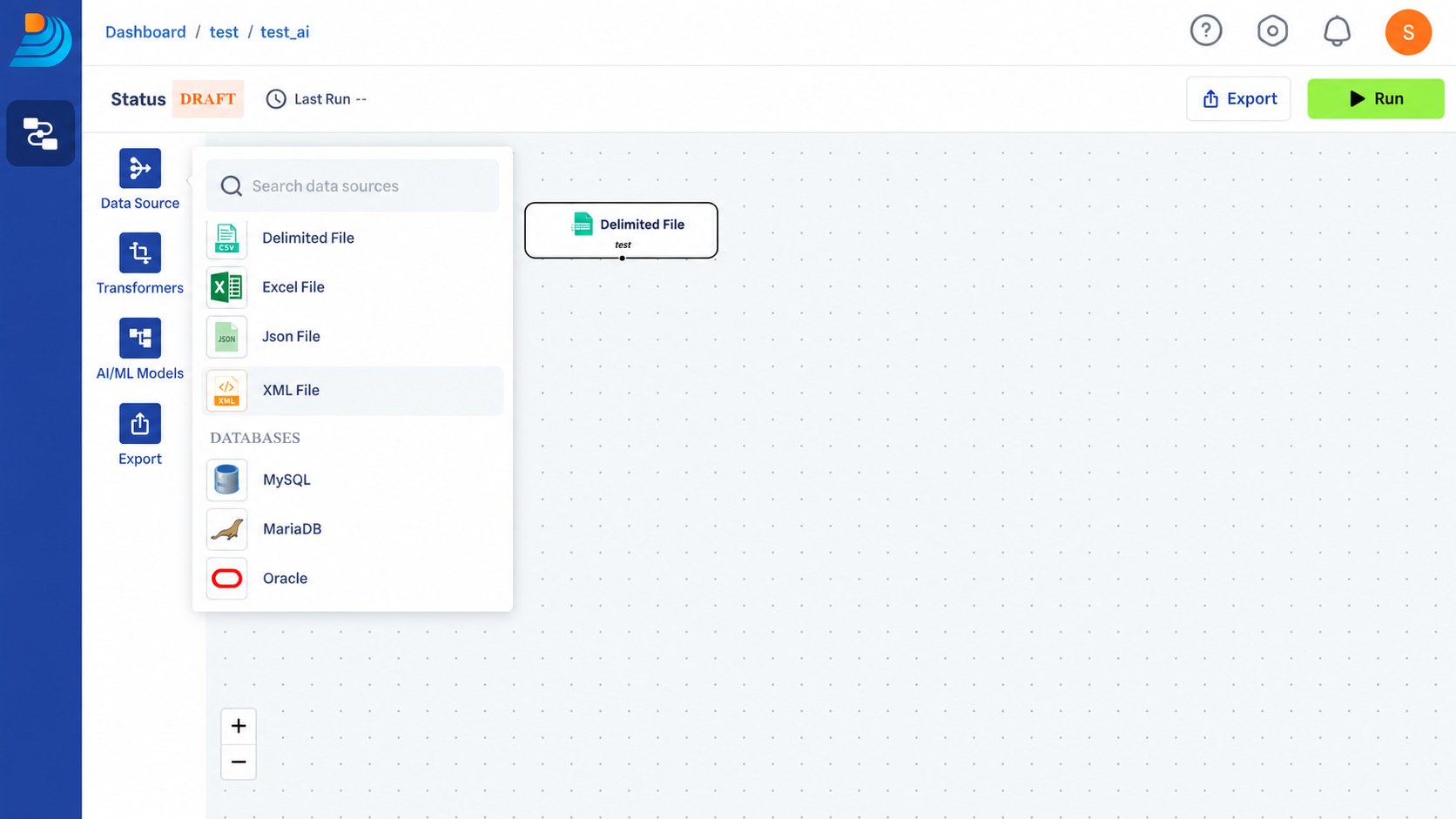
- 1Pipeline stages
Data Source, Transformers, AI/ML Models and Export, in one rail.
- 2Source picker
Files (delimited, Excel, JSON, XML) and databases (MySQL, MariaDB, Oracle), with search.
- 3Pipeline canvas
Each step is a node on a canvas, connected into a pipeline.
- 4Status and Run
A draft or run status, last run time, Export and Run.
Engineering details
- Scope
- End-to-end platform development
- Front end
- React
- Back end
- Python
- Data
- PostgreSQL
A node-and-edge canvas makes the flow of data visible, so a pipeline can be read as well as run.
Each model has a form with its assumptions stated beside the settings, so choices are made with the constraints in view.
Constraints, such as spherical, evenly sized clusters for K-Means, appear next to the parameters they affect.
Building something like this?
Tell us what you are building and what it needs to do. We will start from your problem, not a template.